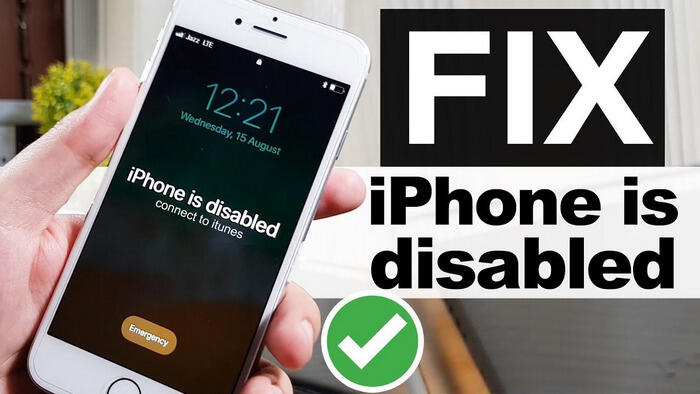
We’ve all had this experience – when your iPhone shows that panicking “iPhone disabled” prompt. It could be that you forgot your password, your child accidentally entered the wrong password multiple times, or that the second-hand device you bought had a password lock on its own. Once you can’t get into your iPhone, anyone can panic. Your personal data, important contacts, work emails, and cherished memories are instantly gone.
Traditional workarounds often add to the user’s annoyance. Using iTunes to restore your device usually erases all data, which is an extremely bad result if you haven’t backed up your iPhone recently. Visiting an Apple Store requires an appointment and can cost a lot of money for repairs, especially if the device is out of warranty. Fortunately, there is a more efficient and user-friendly solution that doesn’t require you to be a tech expert: FoneToolUnlocker.
Why is your iPhone disabled and won’t unlock?
iPhone devices employ robust security measures designed to protect your personal privacy. While these measures are great for protecting privacy, they can be extremely inconvenient when you are indeed unable to log in to your device. Common scenarios include:
Forgot Passcode: If you enter the wrong passcode six times in a row, your iPhone will be automatically locked for one minute. Each subsequent false attempt multiplies the lockout time until your device becomes completely unusable.
Used device problem: Purchased a second-hand iPhone, but it may still be tied to the previous owner’s Apple account, causing the activation lock mechanism to activate and prevent device setup.
Screen Time Limits: Forgetting a screen time passcode set for parental controls or personal management can prevent important features from working properly.
Update failure or corrupted system files: Sometimes i0S system updates fail, or system files may be corrupted, causing the device to not function properly or fail functionality.
Easily unlock your unavalible iPhone with FoneTool Unlocker
FoneTool Unlocker is a professional and free iPhone unlocker designed to bypass the security lock of i0S devices while ensuring the integrity of your device. Unlike complex manual methods, this tool offers a straightforward and guided process that anyone can follow to unlock their device. Its powerful features are capable of tackling the most common iPhone disabled situations:
- Unlock i0S Screen Passcode: Unlocks iPhone devices locked due to forgotten passcode, including those with faulty Touch lD or Face lD sensors.
- Bypass Apple account and activation lock: This feature is extremely important for the purchase of a used iPhone, as the original owner’s account information may have been lost. With this feature, you can regain full ownership of your device.
- Reset Screen Time Passcode: Remove Screen Time restrictions without compromising your personal data, restoring full access to apps and settings.
- Unencrypt iTunes Backups: Restore access to encrypted iTunes backups when passwords are lost, ensuring that your backup data remains usable.
The software works on a wide range of devices – compatible with all i0S versions and works with all models of iPhone, iPad and iPod Touch.
The process of how to unlock iPhone without passcode is very simple. Follow these steps carefully:
Step 1. Download FoneTool Unlocker, launch the software on PC and connect your disabled iPhone to the computer using a USB cable.
Step 2. From the main interface, select “Remove iOS Screen Passcode” and tap “Remove Now”. The software will detect your device model automatically.
Step 3. Follow the instruction to put your iPhone into Recovery Mode:
- For iPhone 8 or later: Quickly press and release the Volume Up button, then the Volume Down button. Finally, press and hold the Side button until the Recovery Mode screen appears.
- For iPhone 7/7 Plus: Simultaneously press and hold the Side and Volume Down buttons.
- For iPhone 6 and earlier: Press and hold both the Home and Top (or Side) buttons.
Step 4. The software will display your device information, and you need to click the “Download” button in the lower right corner to get the corresponding firmware.
Step 5. Click “Remove Now” to unlock your disabled iPhone.
Conclusion
Faced with iPhone locking, FoneTool Unlocker offers an efficient and straightforward solution. This tool can professionally remove common obstacles such as screen passcodes, Apple ID locks, and more, and its clear step-by-step guidance makes the process quick and easy. It not only avoids the risk of data loss using traditional methods but also ensures that you can reliably restore device access with a high success rate. Get this efficient iOS unlocker to unlock your iPhone now.