


Your laptop or computer desktop is where you do a lot. Here you work, create, and handle personal stuff. However, when it is full of files, folders, and shortcuts, it can feel messy instead of helpful. So, it becomes necessary to manage your all files and folders on desktop smartly.
That is where iTop Easy Desktop helps. This free and easy-to-use software developed by iTop that helps you to turn your Windows desktop into a clean, organized, and attractive workspace. It has great features for students, professionals, and everyday users.
Here we will show you how to make your computer desktop more organized and managed with iTop Easy Desktop.
Keep Your Desktop Clean and Managed with iTop Easy Desktop
A messy desktop can make it hard to focus and waste your time. Before learning how to manage and organize your files and folders let’s understand Why Getting Organized Fast Really Helps
- It will keep you from searching through a messy desktop. You can get more done and faster when things are organized.
- Too many files all at once can feel overwhelming. A tidy desktop helps you think clearly.
- Old or duplicate files can slow your computer down. Cleaning them up helps it run better.
- When everything is in order, you are less likely to accidentally delete something important.
Getting organized quickly makes your work easier and your computer happier.
Luckily, iTop Easy Desktop helps you keep things neat and easy to find. You can quickly group your icons, files, folders, and shortcuts into your own categories. This tool will be giving you a clean and distraction-free space with just a few clicks. You can also manage multiple desktop pages and stay in full control of your items.
Your computer becomes a tidy and managed place to work and create with iTop Easy Desktop.
How to Manage All Your Files and Folders Smarter with iTop Easy Desktop?
Here is how iTop Easy Desktop guides your digital clutter into neat, easy-to-find groups:
Easy Desktop Organization
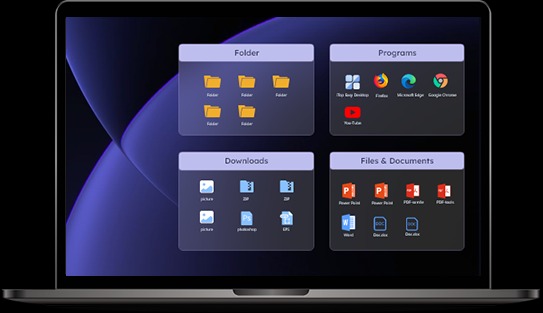
You can organize your desktop automatically and for free with iTop Easy Desktop. It groups your photos, documents, shortcuts, and system icons into different collections based on file type.
iTop Easy Desktop also makes right-click menus easier to use. So, you can do tasks faster. It is a simple way to keep your desktop neat and easy to use!
Smart Management with Boxes
Boxes are the main feature of iTop Easy Desktop. Here is what you can do with this feature. You can:
- Create boxes with labels for different file types like Work, Projects, or Media.
- Drag and drop files into these boxes easily.
- Your layout is saved and lined up automatically.
- Change the shape, size, and color of each box to fit your style.
- Use auto-roll or auto-hide to keep your desktop neat when you are not using the boxes.
In simple words, your desktop stays managed and looks great with Boxes.
Boost Productivity with Powerful Widgets
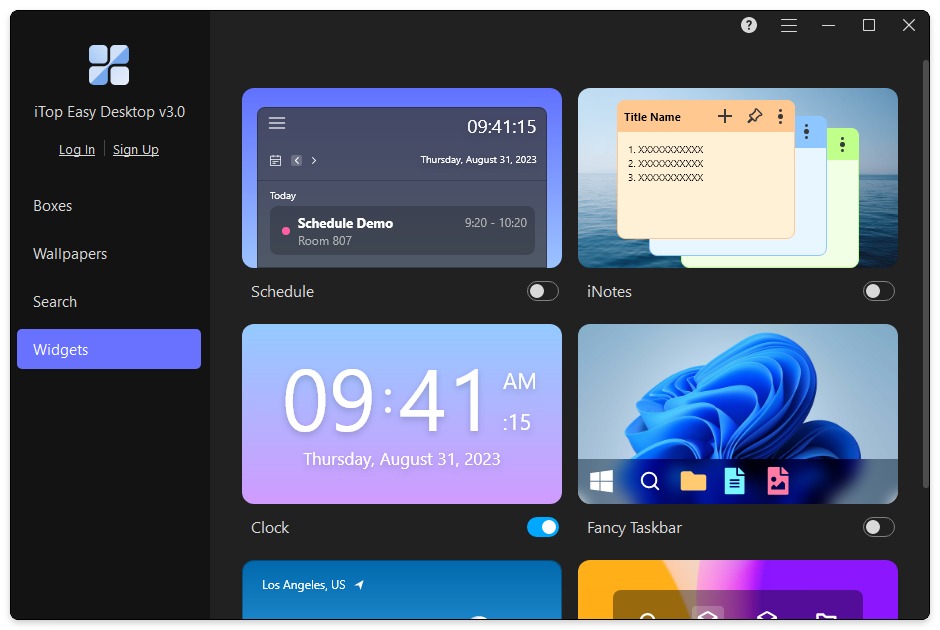
Unlock a more dynamic and helpful desktop experience with powerful features like Quick Tools and Folder Portal. Quick Tools allows you to swiftly access handy widgets such as Schedule(Sync with Google Calendar now), Weather, Clock, and iNotes, helping you stay on track and boost your productivity. Master your time management and effortlessly focus on any task with iPomodoro. Furthermore, Folder Portal provides lightning-fast access to your favorite, frequently used, or any other folder on your PC.
Keep Your Private Files Safe with Private Box
Sometimes, you don’t want others to see important files. These files can be anything like contracts, work documents, or even personal photos which are stored on your desktop. Fortunately, iTop Easy Desktop offers an amazing feature named as Private Box. This private box can help you to protect these files by adding a password. This keeps your private stuff safe and secure right from your desktop.
We all now understand that how important it is to keep your data safe. Protecting your personal info has become more important than ever in the present age. You can relax knowing your private files are safe and only you can see them with Private Box. It is an easy way to keep your information private and work with peace of mind.
Double-Click to Hide Your Icons
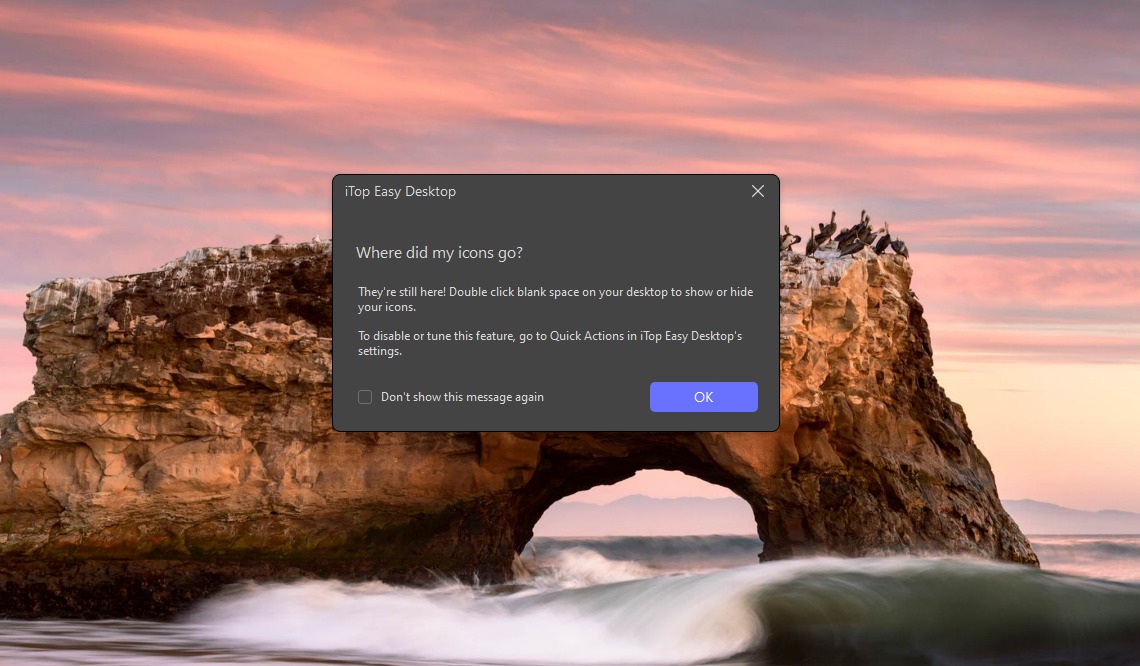
Do you need to share your screen or start a Zoom call quickly? You can quickly hide all the collections on your desktop. You just have to double-click your desktop to hide all files, icons, and boxes. Most importantly, bringing everything back is also simpler. You can double-click again to bring them back. It is a simple way to keep your screen clean and neat in a flash.
Quick Search and Easy Hotkeys
Are you having any trouble in finding a file or folder? Windows search can be slow. However, iTop Easy Desktop has a fast search tool that finds any file or folder on your PC in just a few seconds.
Also, if you use multiple desktop pages and find it hard to switch between them, hotkeys can help. You can set hotkeys to quickly bring up the boxes you need with iTop Easy Desktop. Then you don’t need to keep switching desktops. Just press your hotkey and the files you want will appear right on your screen.
It is a simple way to find and access your stuff faster.
Tips to Get the Best from iTop Easy Desktop
Here are some easy tips to help you use iTop Easy Desktop better:
- Set up boxes smartly. Put your daily apps in easy-to-reach boxes and keep less-used files in others.
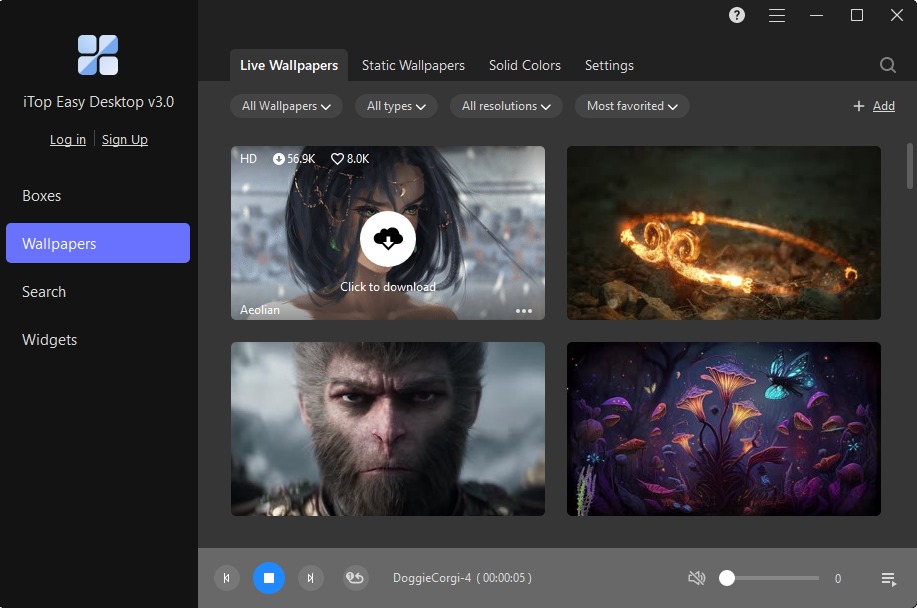
- It would be better to change your wallpaper time to time. Switch between moving and still wallpapers to keep your desktop interesting. A video wallpaper can inspire you. While a simple color helps you focus.
-

iTop
- Keep private boxes simple. It would be better to keep only important files in your private boxes. So, you can find them fast.
- You should consider to use different tools together. Combine calendar widgets with notes (iNotes) and use colors to organize your tasks.
- Staying updated is important. Sign up for the iTop newsletter to get helpful tips and news about new features.
These small changes make your desktop work better for you and keep things fun and easy.
Final Thoughts
iTop Easy Desktop is a powerful tool that can change how you use your Windows desktop. You can now use this amazing tool to manage your desktop with no effort. It will not only help you to make your desktop look managed. It will also help you manage your stuff smartly and privately.