Introduction to LLDB and iOS Jailbreaking
LLDB Windows to iOS Jailbreak
In the world of iOS development and system debugging, LLDB (Low-Level Debugger) plays a powerful role. While it is primarily used on macOS, many users are curious about using LLDB on Windows to perform iOS jailbreak-related operations.
This article explores whether LLDB can be used from a Windows machine to debug or jailbreak iOS devices, what limitations exist, and what alternatives are available for Windows users.
What is LLDB?
LLDB is Apple’s default debugger, part of the LLVM project. It is designed to:
-
Debug programs compiled with Clang
-
Provide advanced breakpoint settings and memory inspection
-
Assist in reverse engineering iOS apps (when jailbroken)
On macOS, LLDB works seamlessly with Xcode. But on Windows, running LLDB in an iOS environment is a different story.
Can You Use LLDB on Windows for iOS Jailbreaking?
Technically, Yes — But With Major Limitations
LLDB is cross-platform and can be compiled to run on Windows, but:
-
iOS Jailbreaking requires device communication, which is tightly controlled by Apple.
-
iOS debugging features of LLDB are locked behind macOS/iOS security layers.
-
LLDB on Windows cannot natively communicate with an iOS device unless you use bridging tools or virtualization.
Why Use LLDB in Jailbreaking?
In the jailbreak community, LLDB is often used for:
-
Inspecting system calls
-
Injecting dynamic libraries (dylibs)
-
Hooking into functions during tweak development
How to Set Up LLDB on Windows (Development/Debugging Only)
Note: This setup won’t allow full jailbreak functionality but may support reverse engineering iOS binaries.
Step 1: Install LLVM and LLDB
You can install LLDB through LLVM for Windows:
Or manually from: https://releases.llvm.org
Step 2: Connect via SSH to a Jailbroken iOS Device
You can connect to a jailbroken iOS device using OpenSSH:
Then, use LLDB locally on the iOS device or forward ports to use debugging remotely.
Step 3: Port Forwarding (Advanced)
Using USBMUXD or iproxy, you can forward ports between Windows and the iOS device:
This allows you to run debug sessions if you already have an LLDB server installed on the device.
Why This Method Is Not Practical for Jailbreaking
While LLDB Windows to iOS jailbreak sounds promising, it is not practical for full jailbreak processes due to:
-
Lack of iOS system call support in Windows LLDB
-
Code-signing restrictions by Apple
-
No direct interface for kernel patching
-
LLDB needs Apple’s development ecosystem for full iOS debugging
Alternatives to LLDB on Windows for Jailbreaking
If you are on Windows and want to jailbreak an iPhone, consider:
1. Using Checkra1n on Windows via Bootra1n
Bootra1n is a lightweight Linux image that runs Checkra1n (a jailbreak tool) from a USB drive.
-
Download Bootra1n ISO
-
Flash to USB with Rufus
-
Boot into Bootra1n
-
Run Checkra1n and jailbreak your iOS device
2. AltStore and Sideloading from Windows
Use AltStore on Windows to sideload unc0ver or other IPA jailbreak files to your iPhone.
-
Install AltStore
-
Connect iPhone via USB
-
Trust the computer
-
Sideload unc0ver or Taurine
LLDB Use Cases in Jailbroken iOS Devices
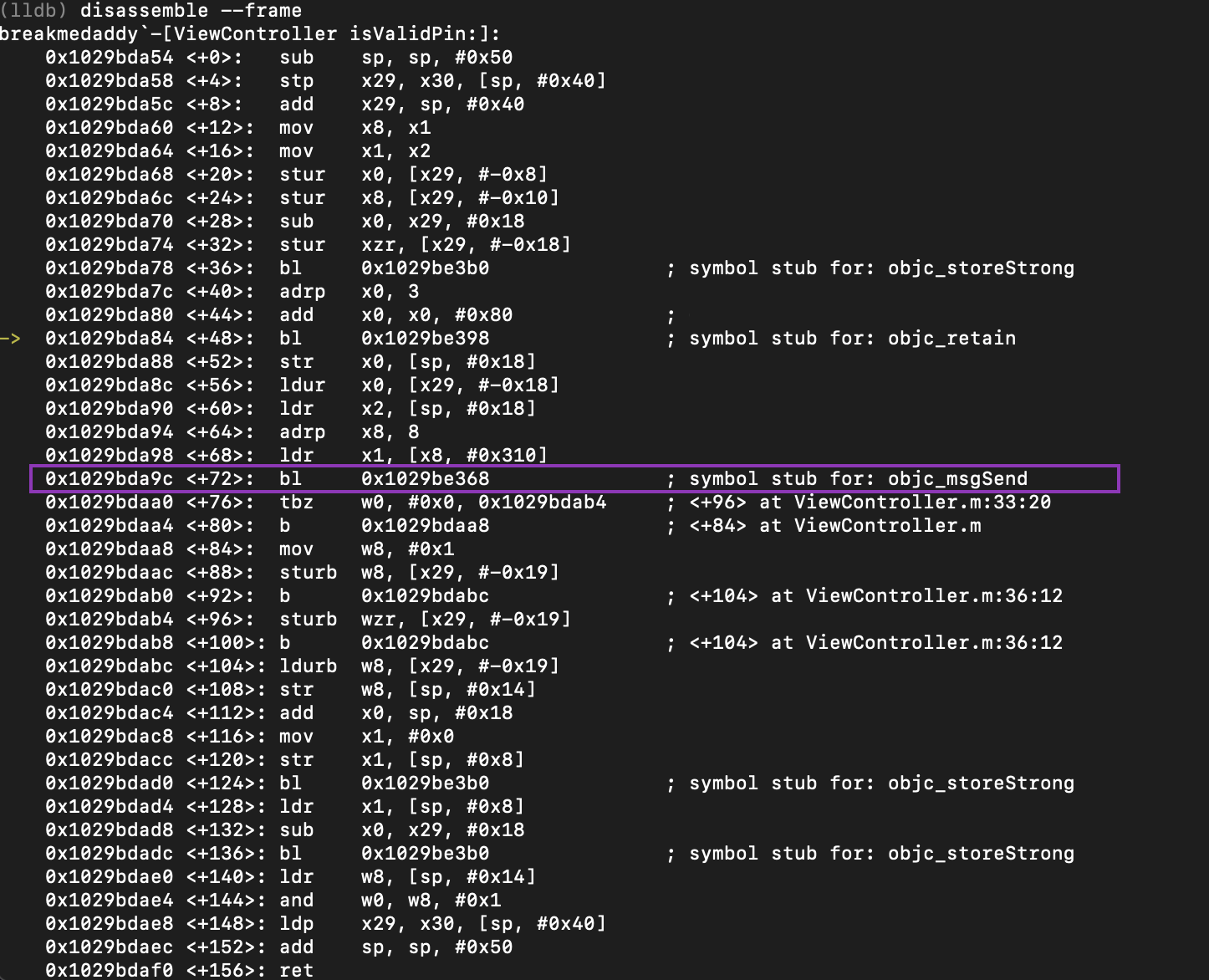
Once your iPhone is jailbroken, LLDB can be used directly on the device (not from Windows) to:
-
Attach to running processes
-
Modify function behavior
-
Debug tweaks and mobile substrate extensions
Example:
Risks and Legal Implications
Jailbreaking your iOS device and using LLDB for reverse engineering may violate Apple’s Terms of Service and local copyright laws.
Always ensure:
-
You own the device
-
You understand the security risks
-
You are not violating any applicable laws
Final Thoughts
While the concept of using LLDB Windows to iOS jailbreak is fascinating, it’s currently not feasible without significant workarounds. For real jailbreaking, macOS or Linux environments are far more suited.
FAQs
Can LLDB be used directly to jailbreak an iPhone?
No. LLDB is only a debugger, not a jailbreaking tool. It can be useful after jailbreaking.
Can I install LLDB on a jailbroken iPhone?
Yes. You can use package managers like Cydia or Zebra to install LLDB.
Is there any one-click jailbreak from Windows?
No stable one-click solutions currently exist. Use Checkra1n via Linux/Bootra1n.