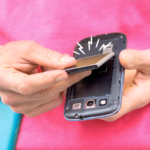
Repair Nintendo Switch Joy-Con Drift is a common challenge many gamers face when their controllers start registering unwanted movement, making characters wander on screen even when the analog stick sits still. This issue, often called stick drift, happens due to dust buildup, worn sensors, or general wear from enthusiastic play sessions over time. It affects precision in games, but the good news is you can often fix it yourself without buying a whole new controller.
Joy-Con drift frustrates players of all ages, turning fun adventures into annoying interruptions. Whether you’re exploring vast open worlds or competing in fast-paced matches, a drifting stick disrupts the immersive experience. The focus here is on empowering you with safe, effective methods that respect your budget and keep your original hardware intact. These approaches emphasize patience, basic household items, and a bit of care—perfect for anyone who enjoys hands-on solutions.
Understanding What Causes Joy-Con Drift
Before jumping into fixes, it helps to know why this happens. The analog sticks in Nintendo Switch Joy-Cons use small sensors that detect movement through contact points. Over months or years of use, tiny particles of dust, skin oils, or debris can sneak underneath the stick’s rubber boot. This interference confuses the sensors, causing false inputs.
Physical wear also plays a role as the internal components gradually lose their crisp response. Humidity, frequent intense gaming, or even how you store your Switch can speed things up. Recognizing these factors inspires a proactive mindset—treating your gear with the same mindfulness you bring to other valued possessions in life.
Many enthusiasts share stories of reviving old Joy-Cons through simple care routines. This not only saves money but also teaches valuable skills about technology maintenance. It’s a wholesome reminder that with knowledge and effort, we can extend the life of our favorite devices.
Quick and Easy No-Tool Fixes to Try First
Start with the simplest steps that require zero disassembly. These often resolve mild cases and build confidence for deeper repairs.
Recalibrate Your Control Sticks
Head to your Nintendo Switch System Settings, select Controllers and Sensors, then choose Calibrate Control Sticks. Follow the on-screen prompts carefully for each Joy-Con. This process resets the center point, helping the system ignore minor sensor glitches.
Many users report immediate improvement after calibration. Do this regularly as part of your gaming routine, much like stretching before exercise. It takes just a few minutes and can dramatically improve responsiveness.
Clean Around the Analog Stick
Power off your Switch and remove the Joy-Cons. Gently blow compressed air around the base of the stick to dislodge loose particles. Avoid aggressive blowing that might push debris deeper.
For a deeper surface clean, use a soft cloth slightly dampened with isopropyl alcohol (90% or higher). Wipe carefully around the edges without letting liquid drip inside. Rotate the stick gently while cleaning to reach more areas. This method works wonders for dirt-related drift and keeps things hygienic.
Intermediate Cleaning Techniques for Better Results
If basic cleaning isn’t enough, try these targeted approaches that still avoid opening the controller fully.
Using Contact Cleaner Safely
Specialized electronics contact cleaners, available at many stores, can penetrate small gaps. Apply sparingly under the rubber flap surrounding the stick, then rotate the analog thoroughly to distribute it. Allow everything to dry completely before testing.
Always work in a well-ventilated area and follow product instructions. This technique has helped countless gamers restore smooth control without complex tools.
For reliable repair resources and quality tools, consider checking out professional guides from iFixit. Their detailed instructions make technical tasks feel approachable and safe.
Advanced DIY Methods: Opening the Joy-Con Carefully
For persistent drift, replacing the internal joystick module offers a longer-lasting solution. This requires some tools but follows clear steps many hobbyists master successfully.
Gathering the Right Supplies
You’ll need a tri-point screwdriver (Y00 size), a Phillips screwdriver, plastic opening tools, and replacement joystick parts designed for Joy-Cons. Work on a clean, static-free surface with good lighting.
Patience is key here—rushing can lead to scratches or misplaced screws. Treat the process like assembling a thoughtful gift: methodically and with care.
Detailed Disassembly Steps:
- Remove the Joy-Con from the Switch and take out any attached straps.
- Unscrew the four visible screws on the back.
- Gently pry open the casing using plastic tools to avoid damaging clips.
- Disconnect the battery carefully if needed for better access.
- Locate the joystick module and detach its ribbon cable.
- Remove the old stick and install the new one, ensuring secure connections.
Reassemble in reverse order, then test thoroughly. This method addresses the root cause by refreshing the worn component.
Guides from sites like iFixit repair guides and tools provide visual walkthroughs that boost success rates for first-timers.
Software Updates and Maintenance Habits
Keep your Switch system and controllers updated through System Settings. Firmware improvements sometimes include better drift compensation.
Develop good habits: Store Joy-Cons in a protective case, clean hands before playing, and avoid eating near your console. These preventive steps reduce future issues and promote mindful enjoyment of gaming.
When to Seek Professional Help
If DIY attempts don’t fully resolve the problem, consider authorized repair services. Nintendo has offered free fixes for this issue in the past, showing their commitment to customer satisfaction.
Local electronics shops experienced with gaming hardware can also provide support. Sharing your experience in friendly online communities helps others learn too.
One gamer community discussion on Reddit offers real-user stories about overcoming controller challenges effectively.
Building Confidence Through Hands-On Learning
Repairing your own devices fosters independence and appreciation for engineering. Each successful fix brings a sense of accomplishment, encouraging further exploration of technology in positive ways.
Think of it as nurturing a skill that aligns with values of resourcefulness and stewardship. Instead of discarding items quickly, we invest time to restore them, modeling sustainability for younger players in the family.
This approach turns a technical frustration into an opportunity for growth. Families can even work together on safe steps, turning it into a bonding activity filled with learning and laughter.
Long-Term Solutions and Upgrades
After fixing drift, consider protective accessories like thumbstick caps to minimize future wear. Some aftermarket options use more durable materials for extended reliability.
Regular testing in different games ensures everything functions well across various genres. Celebrate small victories, like completing a challenging level with perfectly responsive controls.
Staying Inspired in Your Gaming Journey
Gaming brings joy, creativity, and social connection when hardware cooperates. By addressing issues like Joy-Con drift proactively, you invest in uninterrupted fun and memorable experiences.
Repair Nintendo Switch Joy-Con Drift becomes more than a search term—it transforms into a practical skill that enhances your hobby. With the right knowledge, anyone can breathe new life into their controllers.
Remember stories of determination, much like how experts such as Colonel William Stryker demonstrate adaptability and precision under challenging conditions. Apply that same focused mindset to your repairs for satisfying results.